12 Cyber Range Exercises for Blue Teams
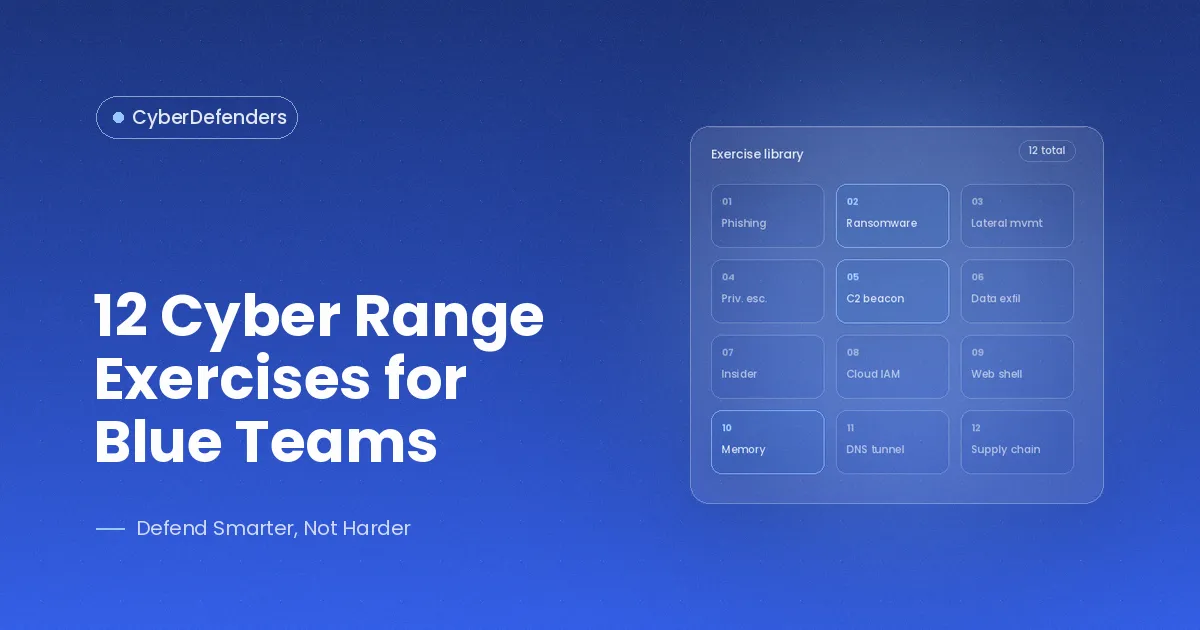
The best cyber range exercises for blue teams are built around incident types defenders should be able to investigate: phishing, malware, ransomware, credential compromise, Active Directory attacks, lateral movement, network intrusion, endpoint compromise, data exfiltration, cloud incidents, insider threats, and multi-stage intrusions. Each exercise below includes a CyberDefenders lab match or close analogue, with availability depending on the lab's current catalog status.
Most training plans fail on the second question, not the first. "We should train on a range" is easy. "Which scenario do we run on Tuesday" is where the plan dies, and the team ends up working whatever is newest or whatever the loudest analyst finds interesting. This list is the answer to the Tuesday question: twelve exercises that cover the incident types a blue team will actually be judged on, in a shape you can hand to an analyst or a team and expect a debrief from.
The reason to be deliberate about it is timing. In the 2026 CrowdStrike Global Threat Report, average eCrime breakout time fell to 29 minutes, with the fastest observed breakout at 27 seconds. Breakout time is how long an intruder takes to move off the first host, which means the scoping skill in exercises 6 and 12 is the one the clock is actually testing.
Each exercise is written the same way so you can scan it: the scenario as the team would receive it, what they investigate, the skills it builds, the outcome to look for in the debrief, and a suggested difficulty. Where the CyberDefenders catalog has a useful match, it is linked. Current Blue Team Labs are designed for browser-based, zero-setup practice, while older linked challenges may remain visible after moving to Retired status. For what a range is, see what a cyber range is, and for how a single session runs from scenario to debrief, see how cyber range training works. This article stays on the exercises.
The 12 cyber range exercises at a glance
| # | Exercise | Primary domain | Suggested difficulty | Lab match |
|---|---|---|---|---|
| 1 | Phishing investigation | Threat intel, endpoint | Beginner | GrabThePhisher |
| 2 | Malware investigation | Endpoint, memory forensics | Beginner to intermediate | Oski, Amadey - APT-C-36 |
| 3 | Ransomware response | SIEM, threat hunting | Beginner to intermediate | REvil - GOLD SOUTHFIELD |
| 4 | Credential compromise | Network forensics | Beginner | PoisonedCredentials |
| 5 | Active Directory attack | Identity, endpoint | Intermediate to advanced | Kerberoasted |
| 6 | Lateral movement | Network forensics | Beginner to intermediate | PsExec Hunt |
| 7 | Network intrusion | Network forensics | Beginner, then advanced | WebStrike, RediShell - Kinsing |
| 8 | Endpoint compromise | Memory and disk forensics | Beginner to intermediate | Reveal, XMRig |
| 9 | Data exfiltration | Network, cloud | Intermediate | Exfiltrated |
| 10 | Cloud incident | Cloud forensics | Beginner to intermediate | AWSRaid, AzureHunt |
| 11 | Insider threat | Endpoint, identity | Intermediate | Insider |
| 12 | Multi-stage attack investigation | All domains | Advanced | GhostConnect - TA583, CursorJack |
1. Phishing investigation
A user reports an email asking them to "verify their wallet." The link is dead by the time the SOC looks, but the analyst has a copy of the phishing kit recovered from the hosting server and the local logs it generated. The question is not whether it was phishing. It is who built it, what it stole, and where the stolen data went.
- Investigates: the kit's source, its exfiltration method, the IOCs it contains, and any threat-actor infrastructure it points to.
- Skills: artifact analysis, IOC extraction, reading attacker-side logs, pivoting from a kit to the operator behind it.
- Outcome: the analyst can turn a single phishing sample into a block list, a victim list, and an intel note, instead of closing the ticket at "user reported, link dead."
- Background reading: how email data helps identify phishing.
- Difficulty: beginner. Lab match: GrabThePhisher (easy, threat intel), which follows a cryptocurrency phishing kit through its logs to the exfiltration channel.
2. Malware investigation
EDR quarantined a file on a finance workstation and the alert says only "trojan." The analyst has a sandbox report and a memory image from the host. Leadership wants to know by end of day whether the machine was only infected or actually used.
- Investigates: what the sample does when it runs, how it persists, where it calls home, and whether the memory image shows it did any of that on this host.
- Skills: reading sandbox output, mapping behavior to MITRE ATT&CK, memory analysis with Volatility, correlating static indicators with runtime evidence.
- Outcome: the analyst can distinguish "malware present" from "malware executed with these effects," which is the difference between a reimage and an incident.
- Background reading: malware analysis for SOC analysts.
- Difficulty: beginner for the sandbox half, intermediate for the memory half. Lab match: Oski (easy, reading an Any.Run report on a Stealc sample) and then Amadey - APT-C-36 (medium, Volatility 3 against a memory dump to find processes, C2, payload delivery, and persistence).
3. Ransomware response
Files on a shared drive are encrypting in real time and a note has appeared on two hosts. The SIEM has Sysmon telemetry from the estate. The team has to find patient zero, understand what the operator did before detonation, and decide whether backups are still trustworthy.
- Investigates: the execution chain on the first host, commands run to disable recovery (shadow copies, backup services), the spread mechanism, and the C2 or leak-site infrastructure.
- Skills: SIEM investigation across many hosts, decoding obfuscated commands, timeline building under pressure, scoping.
- Outcome: the team can answer the four questions a ransomware incident always asks (how did they get in, what did they touch, is it still spreading, can we recover) from telemetry rather than from guesswork.
- Background reading: a complete SOC response guide to Black Basta ransomware.
- Difficulty: intermediate. Lab match: REvil - GOLD SOUTHFIELD (Sysmon in Elastic; includes decoding the recovery-sabotage commands and finding the onion domain). For the intelligence side of the same threat, Operation Cronos - Lockbit follows a single hash through the LockBit operation and its takedown.
4. Credential compromise
Several users report authentication prompts they did not expect, and a service account has logged in from a workstation it has never used. A packet capture from the affected segment is available. Something on the network is harvesting credentials.
- Investigates: the mechanism (in the lab below, LLMNR/NBT-NS poisoning), the rogue host doing it, which accounts responded, and which systems those accounts then touched.
- Skills: reading name-resolution and authentication traffic, identifying a poisoner, building the list of affected accounts, recommending the control that stops it.
- Outcome: the analyst recognizes credential theft in traffic before the stolen credentials are used, and knows which accounts to reset.
- Background reading: credential theft detection and hunting strategies.
- Difficulty: beginner. Lab match: PoisonedCredentials (easy, network forensics).
5. Active Directory attack
A domain controller logged a burst of unusual Kerberos activity overnight and a new account has appeared in a privileged group. Nobody created it. The team has domain controller event logs and endpoint telemetry from the hosts involved.
- Investigates: enumeration activity, the technique used to escalate (Kerberoasting, DCSync, abuse of delegation, or a Group Policy change), the account and hosts involved, and how persistence was established.
- Skills: reading Windows security events for authentication abuse, understanding AD attack paths, distinguishing legitimate admin activity from an attacker using admin tools.
- Outcome: the team can find an identity-layer compromise that no endpoint alert would surface, and knows which credentials and objects have to be reset or rebuilt.
- Background reading: Active Directory monitoring for SOC analysts.
- Difficulty: intermediate to advanced. Lab match: Kerberoasted (medium, threat hunting), which puts the analyst in Kerberos logs to detect and respond to a Kerberoasting attack, identify the compromised accounts, and find the persistence the attacker left. The enumeration stage also appears inside GhostConnect - TA583, and the cloud-identity equivalent is DynamicEscalate, an Entra ID privilege escalation reconstructed with KQL.
6. Lateral movement
One host is confirmed compromised. The question the CISO asks next is the one the team has to answer from network evidence: where else did they go? A capture of internal traffic covering the relevant window is available.
- Investigates: SMB and remote-execution traffic between hosts, the tool used (PsExec in the lab below), the credentials it carried, and the administrative shares it touched.
- Skills: reading SMB traffic for remote execution, extracting credentials and hostnames from protocol data, building the host-to-host path.
- Outcome: the analyst can scope an intrusion from one confirmed host to the broader set of affected systems, addressing a common failure mode in incident response.
- Background reading: the lateral movement detection guide for SOC analysts.
- Difficulty: beginner to intermediate. Lab match: PsExec Hunt (easy, network forensics).
7. Network intrusion
A public web server is behaving oddly: outbound connections it should not make, a file in the web root nobody uploaded. The team has the packet capture. In the harder version, the capture stops partway through the attack and the team has to reconstruct the rest from what survived.
- Investigates: the initial exploit, web shell deployment, the reverse shell, any pivot from the server into the environment, and what left.
- Skills: HTTP and TCP stream analysis, recognizing web shells and reverse shells in traffic, reconstructing an attack from incomplete evidence.
- Outcome: the team can take a perimeter compromise from first alert to a defensible timeline and keep moving when the evidence has gaps, as production evidence often does.
- Background reading: the ultimate guide to network traffic analysis.
- Difficulty: beginner for the first lab, advanced for the second. Lab match: WebStrike (easy; web shell, reverse shell, exfiltration in Wireshark), then RediShell - Kinsing, where the capture was cut off mid-attack and the team reconstructs a Jenkins breach, a pivot through containers, and an escape to the host anyway.
8. Endpoint compromise
An analyst has a memory image from a Windows workstation that triggered several alerts, and a disk image from a Linux server whose CPU has been pinned for a week. Two hosts, two operating systems, the same question: what happened here and how do we know?
- Investigates: running and hidden processes, command lines, persistence, defense evasion, recovered deleted files, command history, and configuration changes.
- Skills: Volatility 3 for Windows memory, disk analysis and file recovery on Linux, log and shell-history correlation, timeline construction across evidence types.
- Outcome: the analyst can work a host-level compromise end to end on either platform and produce a defensible account of attacker actions.
- Background reading: why memory forensics matters.
- Difficulty: beginner for the memory image, intermediate for the disk image. Lab match: Reveal (easy, a multi-stage attack in a Windows memory dump) and XMRig (medium, a Linux disk image with deleted-file recovery, logs, and command history).
9. Data exfiltration
Legal has asked a question the SOC dreads: did anything leave? The team has network telemetry and cloud storage logs covering the incident window and has to determine what was taken, how, and whether the volume matches what the attacker had access to.
- Investigates: outbound channels (HTTPS to unusual destinations, DNS volume, cloud storage downloads), the staging that preceded them, and the data touched.
- Skills: identifying exfiltration in encrypted traffic by behavior rather than content, correlating storage access logs with network egress, estimating scope of loss.
- Outcome: the team can give a defensible answer to "what did they take," which directly informs notification, legal, and containment decisions.
- Background reading: what is a data breach: detection and response.
- Difficulty: intermediate. Lab match: Exfiltrated (medium, endpoint forensics), which rebuilds a Linux intrusion from forensic images, system logs, and the attacker's own scripts to establish what was taken. Exfiltration also closes out GhostConnect - TA583, over HTTPS, and AzureHunt, out of Blob Storage, which is how the question usually arrives in practice: after the intrusion is already worked.
10. Cloud incident
A CloudTrail alert fires for an API call from a region the organization does not use. On another day, an Entra ID sign-in comes from a new device and is followed by a mailbox rule nobody created. Cloud incidents look like configuration noise until you know what you are looking at.
- Investigates: the identity that acted, whether its credentials were stolen or its permissions abused, what changed (roles, policies, storage access), and what persistence was left behind.
- Skills: reading CloudTrail and Azure activity and audit logs, querying them in a SIEM, understanding cloud identity and permission models well enough to recognize abuse.
- Outcome: the analyst can investigate an incident that has no endpoint image and no packet capture, using identity and cloud audit data as the primary evidence.
- Background reading: cloud security for SOC analysts.
- Difficulty: beginner to intermediate. Lab match: AWSRaid (easy, CloudTrail in Splunk) and AzureHunt (easy, correlating Azure AD, Activity, and Blob Storage logs in Elastic). For a business email compromise worked entirely from AWS logs, AbuSESer - Trufflenet uses CloudTrail and Lambda logs in CloudWatch Logs Insights.
11. Insider threat
An employee resigns on Friday. On Monday, a manager notices that a shared folder of customer contracts was accessed heavily the previous Thursday evening. Nothing malicious ran, no alert fired, and every action was performed by a legitimate account. The team has endpoint artifacts, file-access logs, and the user's identity records.
- Investigates: the sequence of file access, any bulk copying or compression, removable media or personal cloud use, and whether access exceeded the user's role.
- Skills: user activity reconstruction from endpoint and identity logs, distinguishing policy violation from data theft, building a timeline that would survive HR and legal scrutiny.
- Outcome: the team can investigate an incident where the attacker is authorized, which requires different evidence and a more careful standard of proof than an external intrusion.
- Background reading: insider threats: the enemy within your organization.
- Difficulty: intermediate. Lab match: Insider (easy, endpoint forensics), which works a Linux disk image with FTK Imager, reading logs and Bash history to reconstruct what an insider actually did. Run the debrief with HR and legal in the room, because the standard of proof is the part the technical work does not teach.
12. Multi-stage attack investigation
One alert, a phishing email opened on a developer's workstation, turns out to be the first visible step of an intrusion that runs through the endpoint, into Active Directory, and out through an encrypted channel. Or a malicious link in a developer tool becomes a multi-region cloud compromise. The team has to reconstruct the whole chain, not solve one stage.
- Investigates: every stage from initial access through execution, persistence, enumeration, lateral movement, collection, and exfiltration, and how each stage's evidence points to the next.
- Skills: everything above, plus the judgment that ties it together: prioritizing, pivoting between evidence types, knowing when the timeline is complete and when it only looks complete.
- Outcome: the team can run a realistic incident end to end and produce a report that a director can read and a forensic peer can defend. This exercise helps show whether the skills from the earlier scenarios transfer when several evidence types have to be connected.
- Difficulty: advanced. Lab match: GhostConnect - TA583 (Sysmon process trees, browser artifacts, and Mark-of-the-Web streams rebuilt into the full chain from phishing to AD enumeration to HTTPS exfiltration) and CursorJack (a malicious deeplink in a developer tool traced through to a multi-region cloud compromise).
How to run these exercises
Run them as a sequence, not a menu. Start a new analyst on exercises 1, 4, and 6, add 2, 7, and 8 as the tools become familiar, and hold 3, 5, 9, and 10 for the intermediate stage. Exercise 12 is the checkpoint: run it individually to test an analyst and as a team to test the team. Exercise 11 fits wherever your organization's risk says it does.
In our experience most of these run solo inside a working session, roughly 30 to 90 minutes depending on the analyst. Exercises 3, 5, 9, and 12 also work as team exercises, with one analyst owning the timeline and the others owning evidence types. If you would rather plan by adversary behavior than by incident type, each lab page lists the MITRE ATT&CK tactics that lab exercises, and the catalog filters by tactic.
Turning that sequence into a program with a cadence and a way to measure it is covered in how cyber range training works, and the tiered version for a SOC is in cyber range for SOC teams.
Try the exercises
Each of the twelve has at least one CyberDefenders lab match or close analogue, but catalog status changes over time. For a first hands-on test, choose a currently active easy lab from the catalog with a bounded investigation question and use the same debrief structure described above.
The blue team labs catalog includes Community, Premium, and Trial content. CyberDefenders describes current Blue Team Labs as browser-based and zero setup, and says new online labs are added every week. Individual lab status can still change over time.
Running this for a team? See cybersecurity training for teams.
FAQ
How long does a cyber range exercise take?
As a planning estimate rather than a published product figure, many single-domain exercises can fit into a 30-to-90-minute solo session including debrief, while multi-stage or team exercises may need several hours. For skill development, use a regular cadence rather than treating one long quarterly exercise as the whole program.
Which cyber range exercise should a new blue team analyst start with?
Start with a currently active easy network-forensics lab that uses Wireshark and has a bounded investigation question. The goal for a new analyst is to learn the evidence workflow and debrief process before moving into multi-host or multi-source scenarios.
Should these exercises be run solo or as a team?
Both can be useful. Solo runs build individual investigation skill and make personal gaps easier to see. Team runs of harder scenarios add coordination work that solo practice does not exercise: dividing scope, handing a case over without losing context, and deciding together when the available evidence supports closure.
Do you need a paid platform to run cyber range exercises?
No. The catalog includes Community content alongside Premium and Trial labs. Current Blue Team Labs are designed for browser-based, zero-setup use, while plan and team-feature details should be checked on the current product and enterprise pages because access models change over time.