Scenario
Caspery, a senior developer working remotely for Wowza Enterprise, reported that his git commit commands were taking unusually long to complete.
Several days later, the Threat Intelligence team discovered Caspery's credentials and API keys leaked on a dark web forum. The data included sensitive information from Wowza's internal systems.
The Incident Response plan was immediately activated. A forensic team was dispatched to acquire an image of Caspery's workstation. Your mission is to conduct an analysis on the forensic image to identify the root cause of the breach.
Analysis
Q1 The user suspected that the suspicious activity occurred after executing an "audit" script provided by an individual claiming to be an auditor during a meeting. Identify the meeting ID associated with the threat actor.
We begin by reviewing browser history artifacts to identify any meetings attended by the user prior to the suspicious activity. We focus on user Caspery
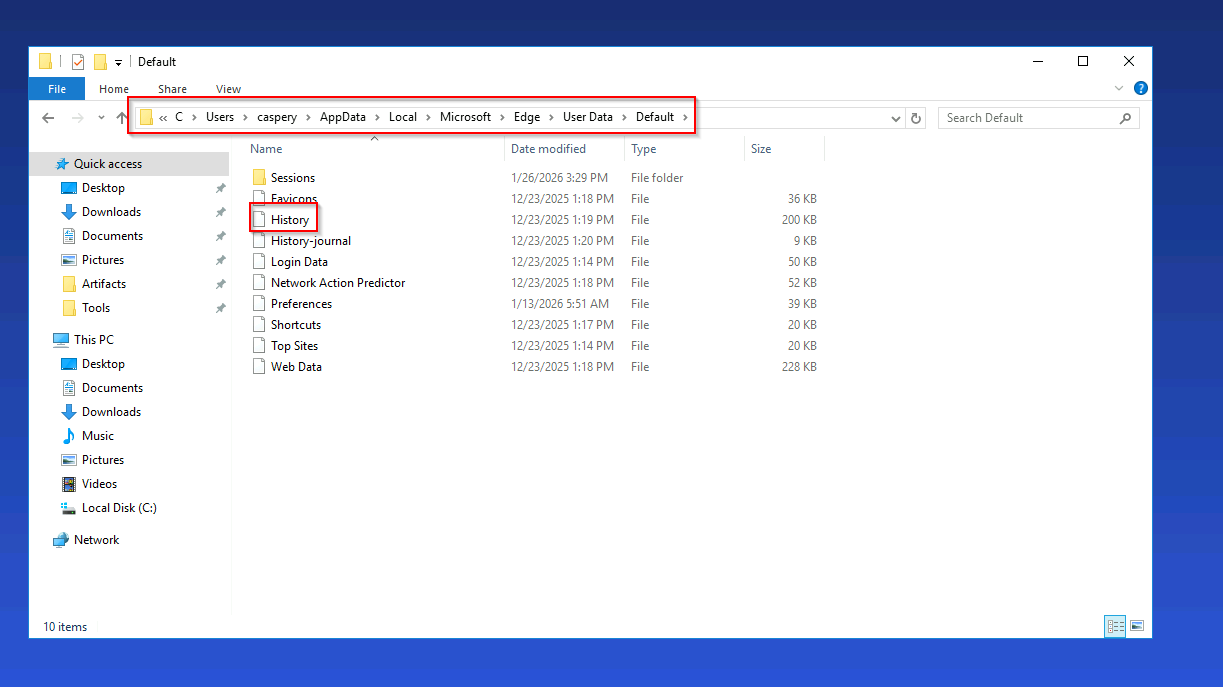
On Windows systems, Microsoft Edge is the default browser and is a logical starting point.
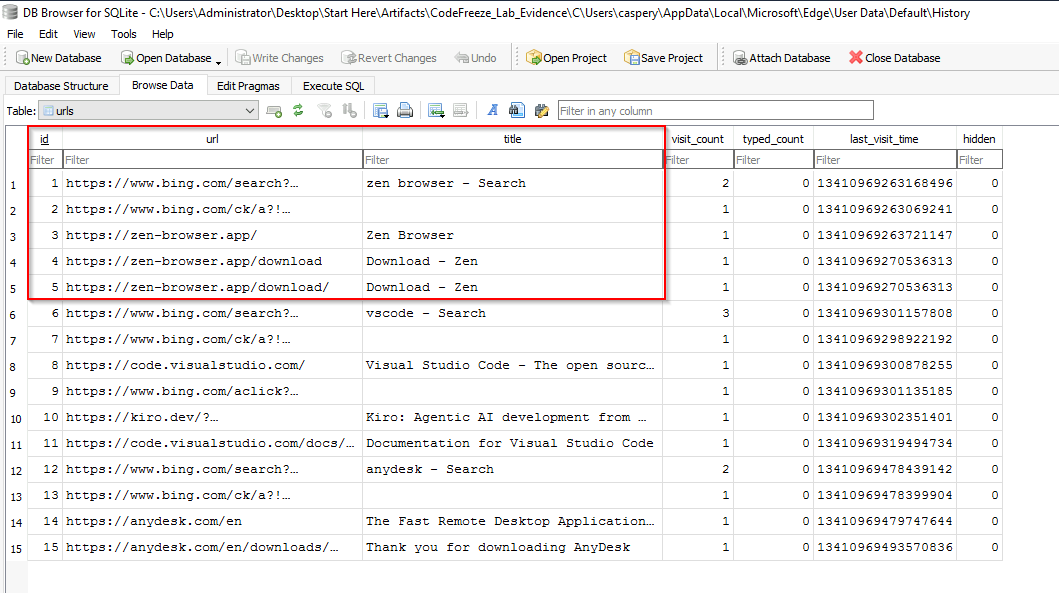
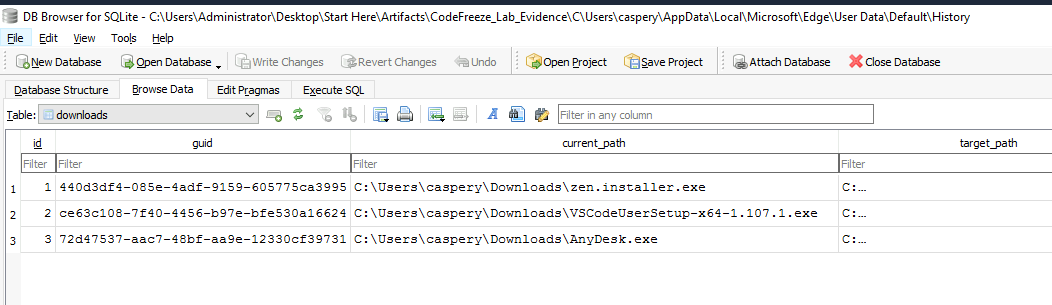
Using DB Browser for SQLite, we examined Edge's History database. This revealed that the user downloaded Zen Browser, but no other significant browsing activity was present in Edge's history. Based on this, we proceeded to analyze Zen Browser artifacts.
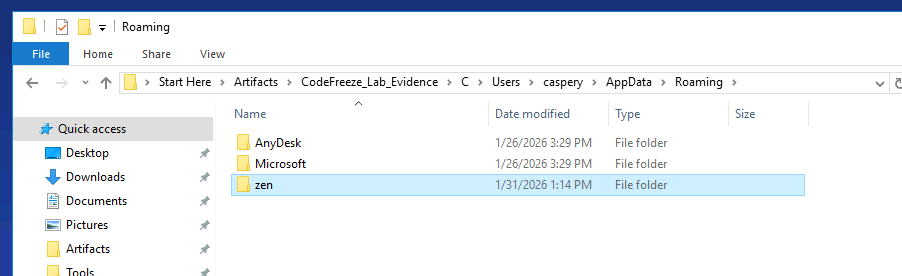
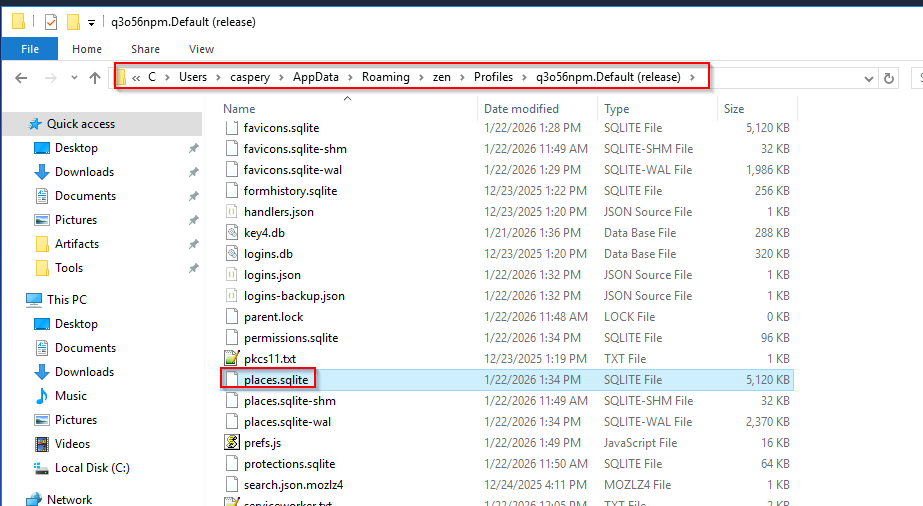
Zen Browser stores its data within the user's Roaming directory. Because Zen Browser is a privacy-focused, open-source browser built on the Firefox engine, its browsing history is stored in the places.sqlite database, similar to Firefox-based browsers.
Opening places.sqlite in DB Browser for SQLite and reviewing the browsing records revealed one entry that stood out: a Google Meet URL. This was the only meeting-related URL found in the entire database.
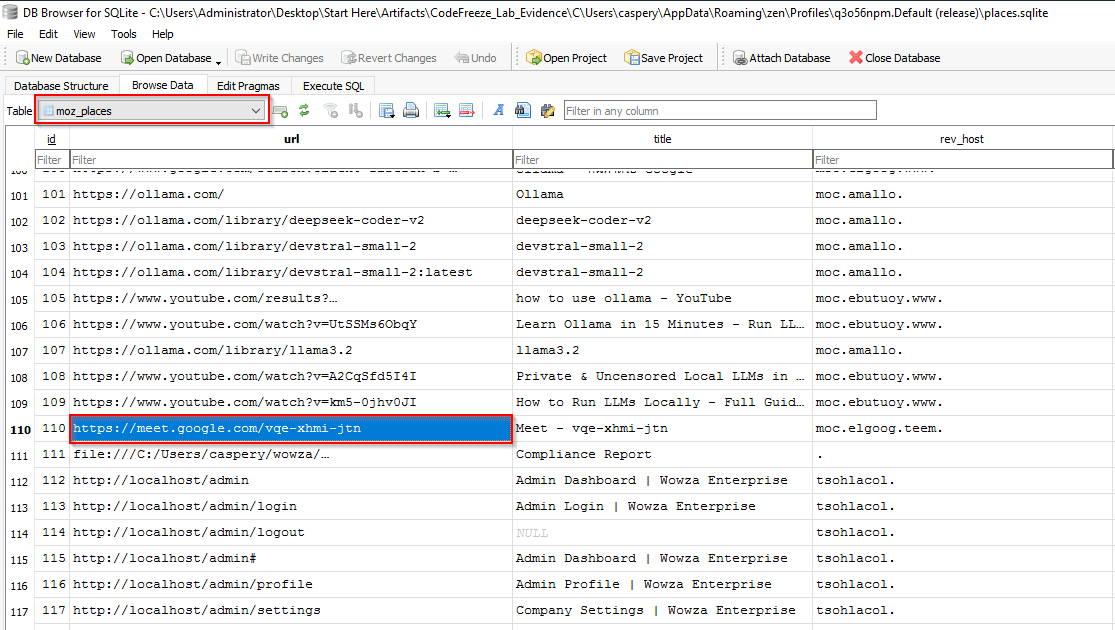
Given the context of the investigation, this strongly indicates that the Google Meet session corresponds to the meeting during which the threat actor instructed the us…
Unlock Your Full Learning Experience with BlueYard Labs
Sign up to track your progress, unlock exclusive labs, and showcaseyour achievements—begin your journey now! Join for Free