Introduction
A suspicious email was identified by the security team, containing a potentially malicious attachment. The sender appears to impersonate a well-known software company, using social engineering tactics to trick the recipient into executing the file.
As a malware analyst, your task is to analyze the attached binary to understand its behavior, capabilities, and infrastructure. Your findings will help the incident response team assess the scope of the threat and take appropriate action.
Sample: XWorm.malware
SHA256: CED525930C76834184B4E194077C8C4E7342B3323544365B714943519A0F92AF
Initial Setup
Before analysis, rename the sample from XWorm.malware to XWorm.exe so analysis tools can load it properly. Perform all work inside an isolated VM with no network connectivity.
Q1. To determine when the malware was compiled, examine the PE header of the file. What is the compilation timestamp (UTC) of the malware?
We begin with initial triage using Detect It Easy (DIE). Open XWorm.exe in DIE. DIE immediately identifies the binary as a VB.NET application compiled with .NET Framework (CLR 4.0.30319) and linked with Microsoft Linker 11.0. Knowing this is a .NET binary is important — it means we can use dnSpy for full decompilation rather than relying on disassembly.
To find the compile timestamp, click the PE button (or use the PE viewer). Navigate to IMAGE_NT_HEADERS > IMAGE_FILE_HEADER and examine the TimeDateStamp field. The raw value is 0x65DBAE94, which DIE converts to a human-readable date — 2024-02-25 22:53 UTC.
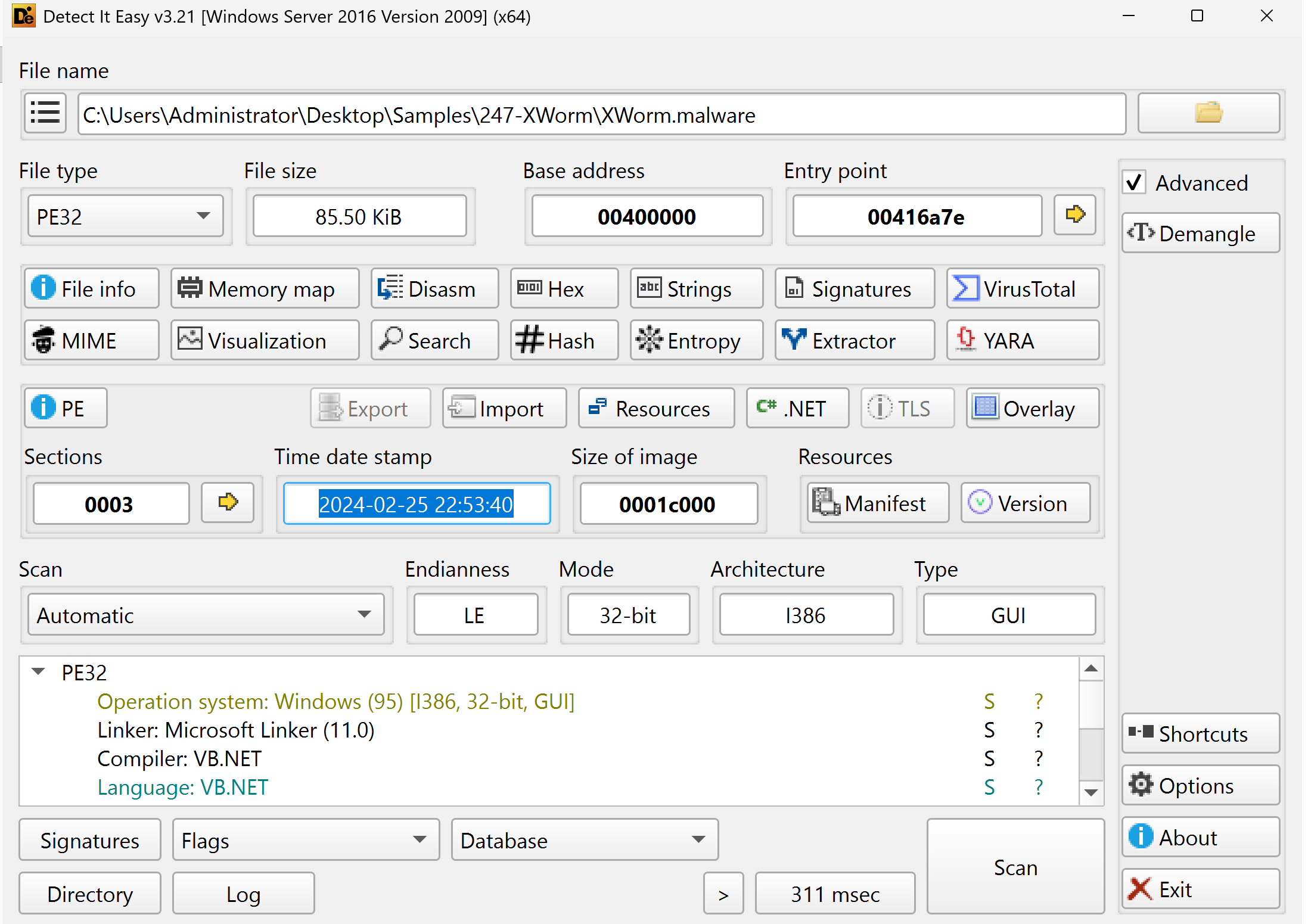
This can also be verified in CFF Explorer under Nt Headers > File Header, or in PE-bear under the General tab.
Q2. The malware disguises itself as a legitimate application from a well-known company. What company is being impersonated?
Still in DIE, click the PE button to open the PE viewer. In the left-hand tree, expand Resources > Version. The bottom panel displays the VS_VERSION_INFO structure with all the…
Unlock Your Full Learning Experience with BlueYard Labs
Sign up to track your progress, unlock exclusive labs, and showcaseyour achievements—begin your journey now! Join for Free