Introduction to Wireshark and PCAP Files
- What is Wireshark?
- Wireshark is a free, open-source network protocol analyzer used to capture and analyze packets from network traffic in real time or from saved capture files (PCAP files).
- What are PCAP Files?
- PCAP (Packet Capture) files are data files that store network packet information. These files allow users to view past network traffic, ideal for post-event analysis and network forensics.
- How to Use Wireshark in Forensics?
- Wireshark helps detect patterns of abnormal activity by visualizing packet flow, tracking application layer communications, and identifying potential attack signatures.
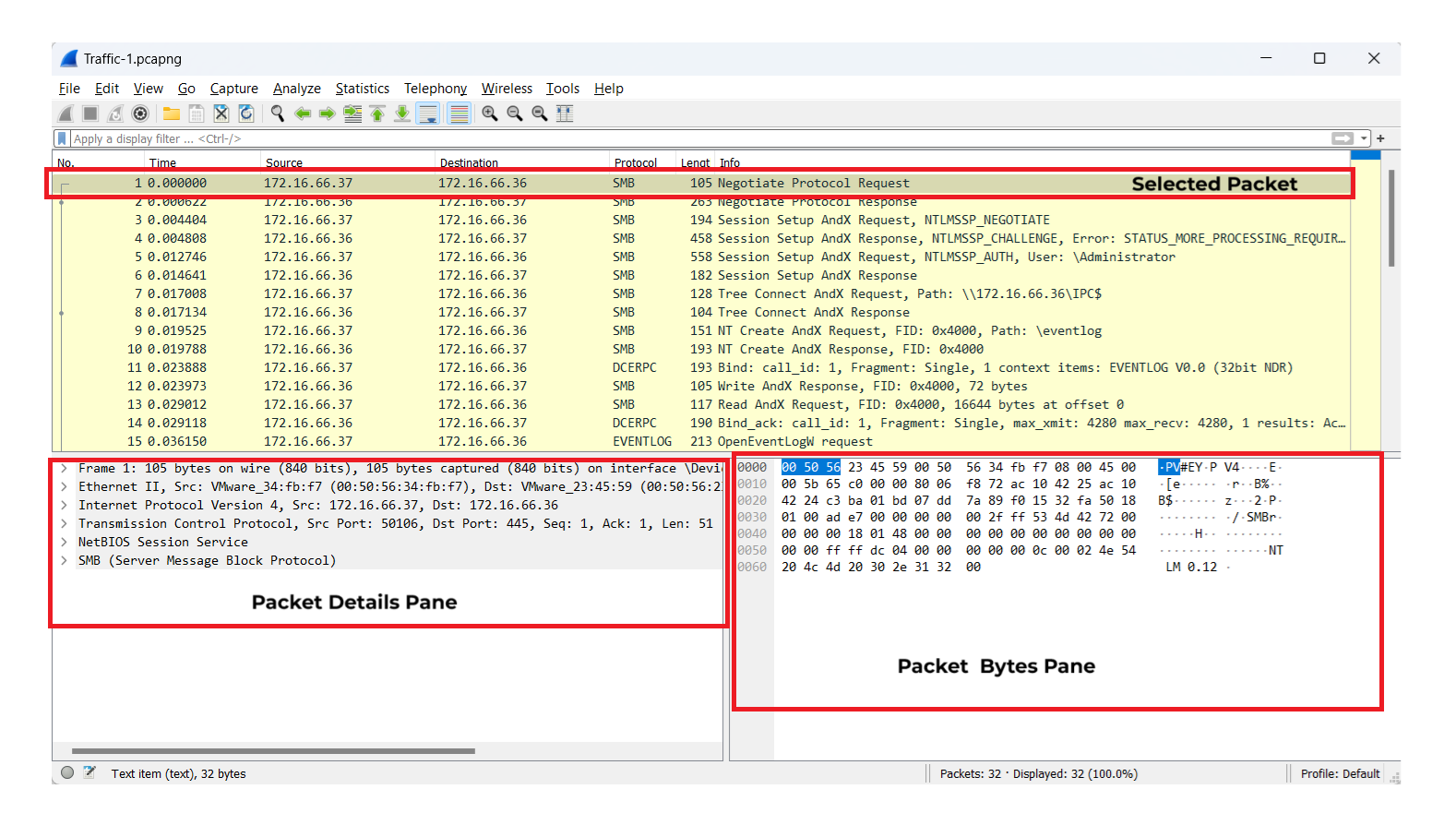
Filtering Packets for Efficient Analysis
Filtering is essential to focus on relevant data, especially when working with large PCAP files. Filters help isolate specific types of traffic or patterns for analysis.
-
Display Filters (for Post-Capture Analysis):
ip.addr == 192.168.1.1— Shows all packets involving a specific IP address.tcp.port == 80— Displays only HTTP traffic (common on port 80).dns— Isolates DNS traffic, useful for spotting domain lookups.http.request.uri contains "login"— Finds HTTP requests with “login” in the URL, which can reveal login attempts.
-
Combining Filters with Logical Operators:
- AND (
&&): Focuses on packets meeting multiple conditions (e.g.,ip.addr == 192.168.1.1 && tcp.port == 443). - OR (
||): Expands to packets meeting at least one condition (e.g.,http || ftp). - NOT (
!): Excludes specific packets (e.g.,!arpto hide ARP packets).
- AND (
PacketDetective Lab Walkthrough
In this walkthrough, we aim to scrutinize network traffic across three provided PCAP files — Traffic-1.pcapng, Traffic-2.pcapng, and Traffic-3.pcapng — to uncover critical indicators of compromise (IOCs) and gather actionable insights into the attacker’s tactics, techniques, and procedures.
❓Question 1
…Unlock Your Full Learning Experience with BlueYard Labs
Sign up to track your progress, unlock exclusive labs, and showcaseyour achievements—begin your journey now! Join for Free