Scenario
This Linux image belongs to a user who enjoys gaming and chatting with friends. Suspicious activity was observed in the system's artifacts. As a SOC analyst, analyze the image to uncover potential anomalies and reconstruct the user's actions.
The evidence is a full disk image of a Lenovo laptop:
| Item | Value |
|---|---|
| Image set | LenovoFinal.E01 to LenovoFinal.E08 (EWF / Expert Witness Format) |
| Acquired with | Guymager 0.8.13 on CAINE |
| Source device | 120 GB Kingston SA400S37120G SSD |
| Layout | GPT: EFI System Partition (FAT32) + a 64,000 MB Linux partition (ext4) |
| Acquisition metadata | LenovoFinal.info (contains the reference MD5 of the image) |
Tools used in this walkthrough: FTK Imager, DB Browser for SQLite, CyberChef, a browser with a JSON viewer, and any plain text editor. Everything below can also be reproduced in Autopsy if you prefer a single-pane workflow.
Setup
Verify and open the image
Before touching a byte of evidence, read the acquisition sheet that shipped with the image. LenovoFinal.info is plain text and records the acquiring tool, the source device, the sector count, and the MD5 that Guymager calculated while it wrote the image. Hash the .E01 set with your own tool and confirm it matches before you report anything.
Then load the image:
- Open FTK Imager.
- File > Add Evidence Item..., choose Image File, and point it at
LenovoFinal.E01. FTK Imager follows the.E02to.E08segments on its own, so you only ever select the first one. - Expand the evidence node in the Evidence Tree.
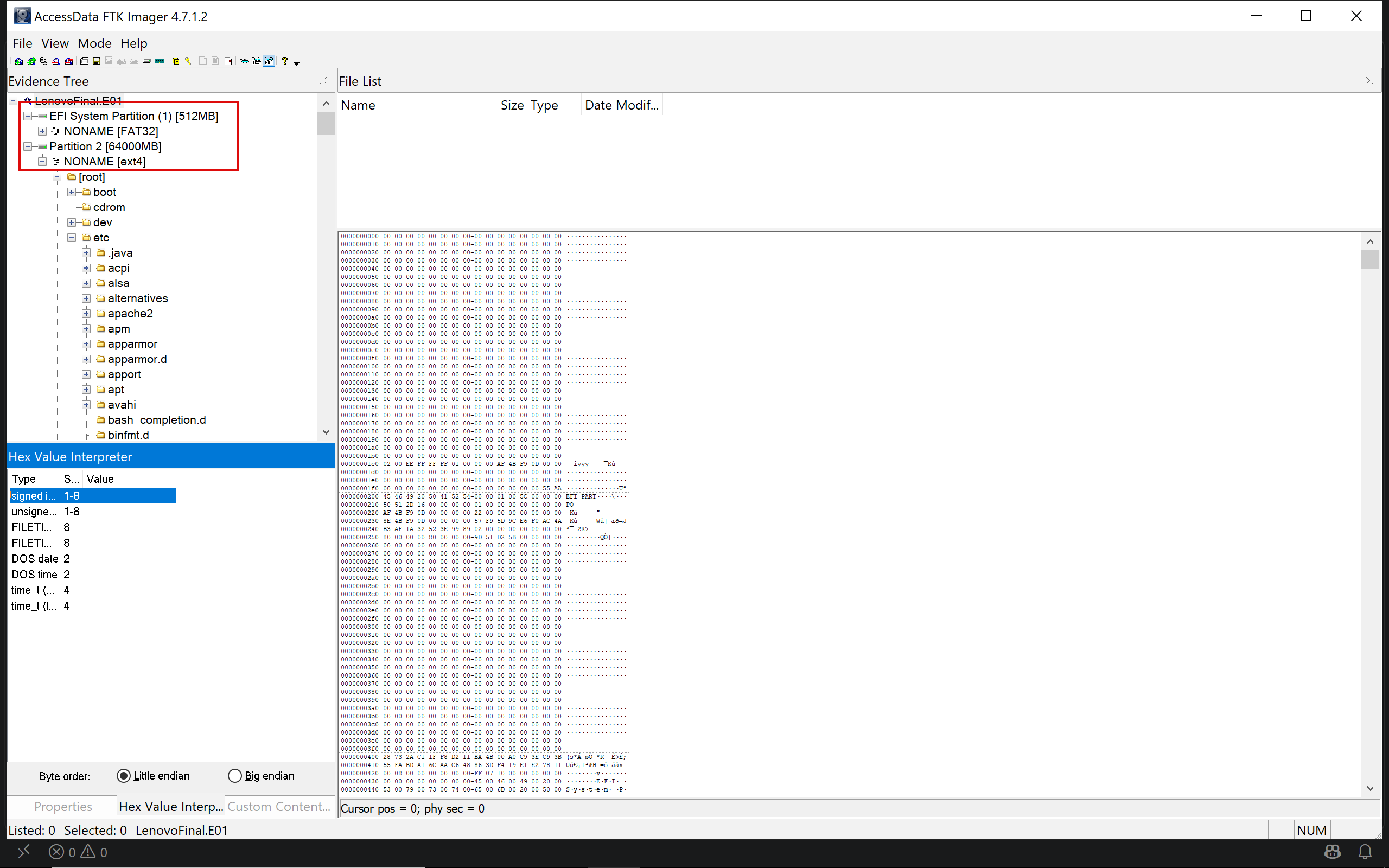
Two partitions come back. The small FAT32 one is the EFI boot partition and holds nothing of investigative value here. Everything in this lab lives under Partition 2 > NONAME [ext4] > [root], and all paths quoted below are relative to that [root] node. The single user on the box is rafael, so /home/rafael is where most of the work happens.
K…
Unlock Your Full Learning Experience with BlueYard Labs
Sign up to track your progress, unlock exclusive labs, and showcaseyour achievements—begin your journey now! Join for Free