Introduction
An employee from the finance department, Z4hra, was actively looking for new opportunities and recently applied for a "Business Development Manager" position. The recruiter sent him a link to a skills assessment portal with a unique invite code.
After answering a series of questions, the portal prompted him to set up her camera for a video interview. To do this, the site provided a PowerShell command that he was instructed to run to "install the necessary video drivers." Trusting the process, he executed the command.
A few hours later, our Endpoint Detection and Response (EDR) system at GOAT company flagged suspicious outbound network activity originating from her workstation. The Security Operations Center (SOC) has isolated the machine and we got a disk image for your analysis. Your mission is to investigate the compromise, identify the malware, and determine the scope of the incident.
Analysis
Phase 1: Initial Access
Q1) Understanding where the malware originated is crucial for identifying the initial attack vector. What is the full URL from which the malicious software was downloaded?
Before starting let's mount the provided disk image to work with. FTKImager is one of the Disk Analysis Tool.
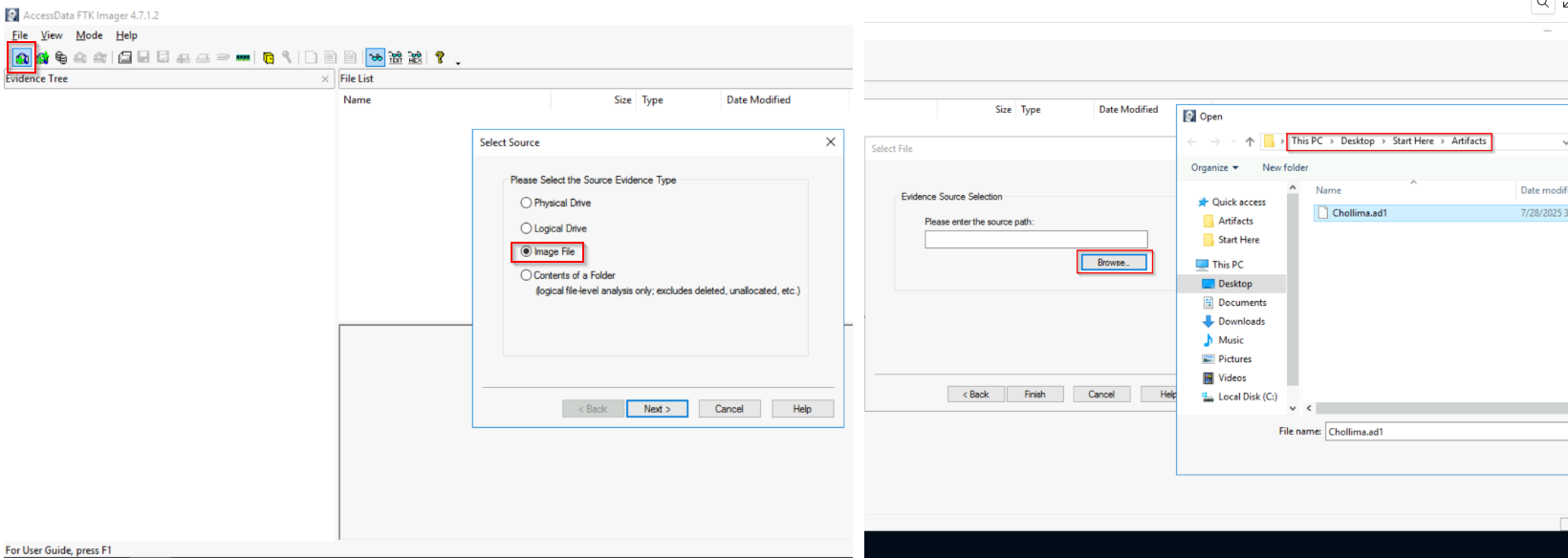
Since we already know that "a PowerShell command that he was instructed to run to" a good start is looking at the powershell logs. A good artifact is ConsoleHost_history.txt but since it is not present lets export and check the Microsoft-Windows-PowerShell%4Operational.evtx at C:\[root]\Windows\System32\winevt\Logs.
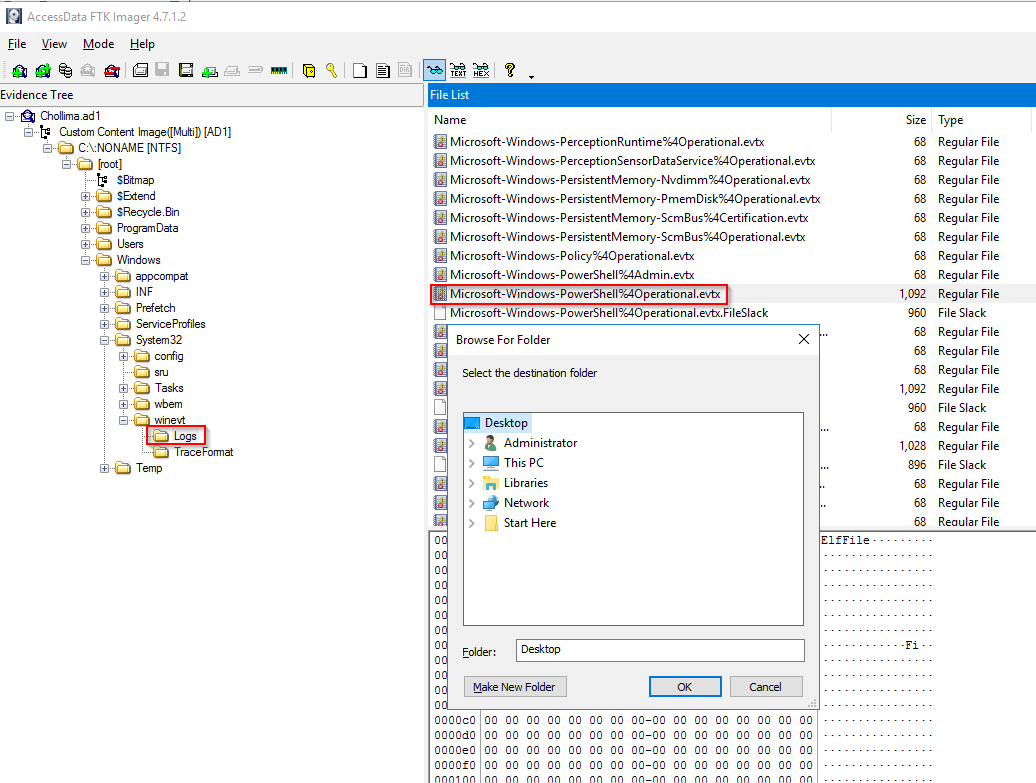
We can op
Unlock Your Full Learning Experience with BlueYard Labs
Sign up to track your progress, unlock exclusive labs, and showcaseyour achievements—begin your journey now! Join for Free