Introduction
On September 28, 2025, TechCorp's security team spotted odd activity on a workstation, a clear sign of a dangerous cyberattack spreading fast. Sneaky processes, secret network calls, and quick jumps to key servers ended with ransomware blocking critical files.
Welcome to the BlackSuitBreach lab! Step into the role of a top threat hunter and take down a smart attack that began with a phishing trick in a messaging app, used hidden evasion tricks, and led to ransomware chaos. Use Splunk logs and disk image artifacts to dig into the clues, track the attacker's path, and learn how to stop real threats.
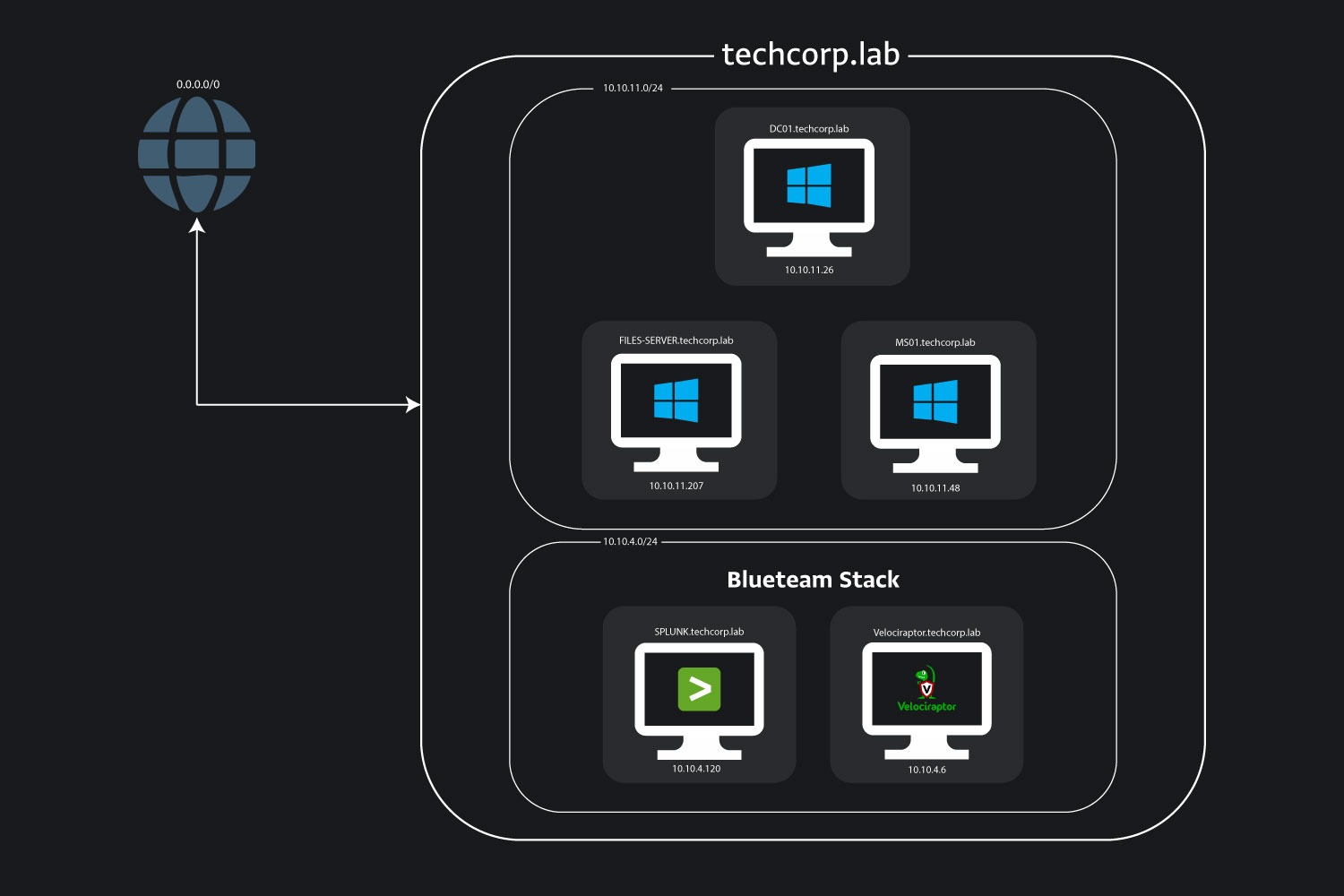
Jump into BlackSuitBreach, feel the thrill of the hunt and build skills that make you a cyber hero!
Analysis
Q1) The intrusion started when the victim received a phishing lure via a messaging application. What is the name of the messaging application used to deliver the initial phishing message that triggered the compromise?
To begin unraveling this attack, our first objective is to determine the platform used for the initial phishing delivery. In many compromises, the first foothold comes from a user interacting with a malicious link in a messaging app, which can lead to browsing a phishing site and downloading malware. By identifying the exact application, we gain a clear picture of the social engineering vector and how the infection chain began, whether it was email, instant messaging, or another service.
To confirm the initial lure vector, we focus on disk forensics of application data directories, because popular messaging apps store local data, caches, and databases in user-specific paths under AppData. Using a forensic tool like Autopsy or FTK Imager, we navigate to the user's roaming application data directory on the MS01 disk image:
C:\Users\m.oliver\AppData\Roaming
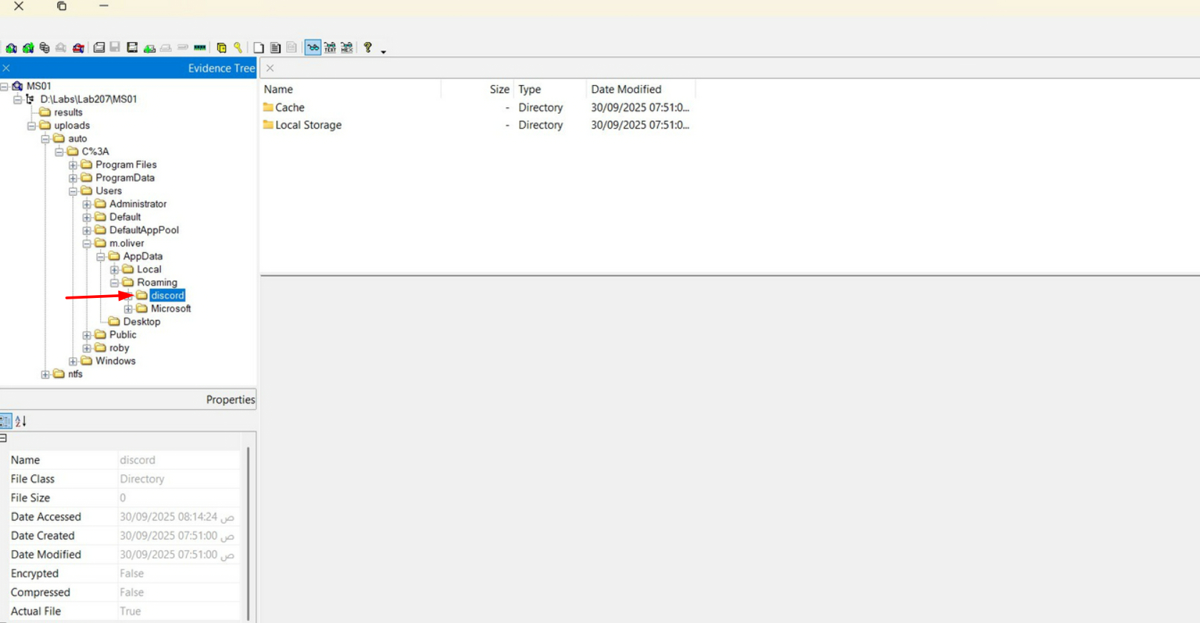
This path contains subdirectories for applications installed and used by the user, providing a snapshot of their software environment…
Unlock Your Full Learning Experience with BlueYard Labs
Sign up to track your progress, unlock exclusive labs, and showcaseyour achievements—begin your journey now! Join for Free